
BIRDKING BK1519RT 20W Electronic Game Caller with Remote Control
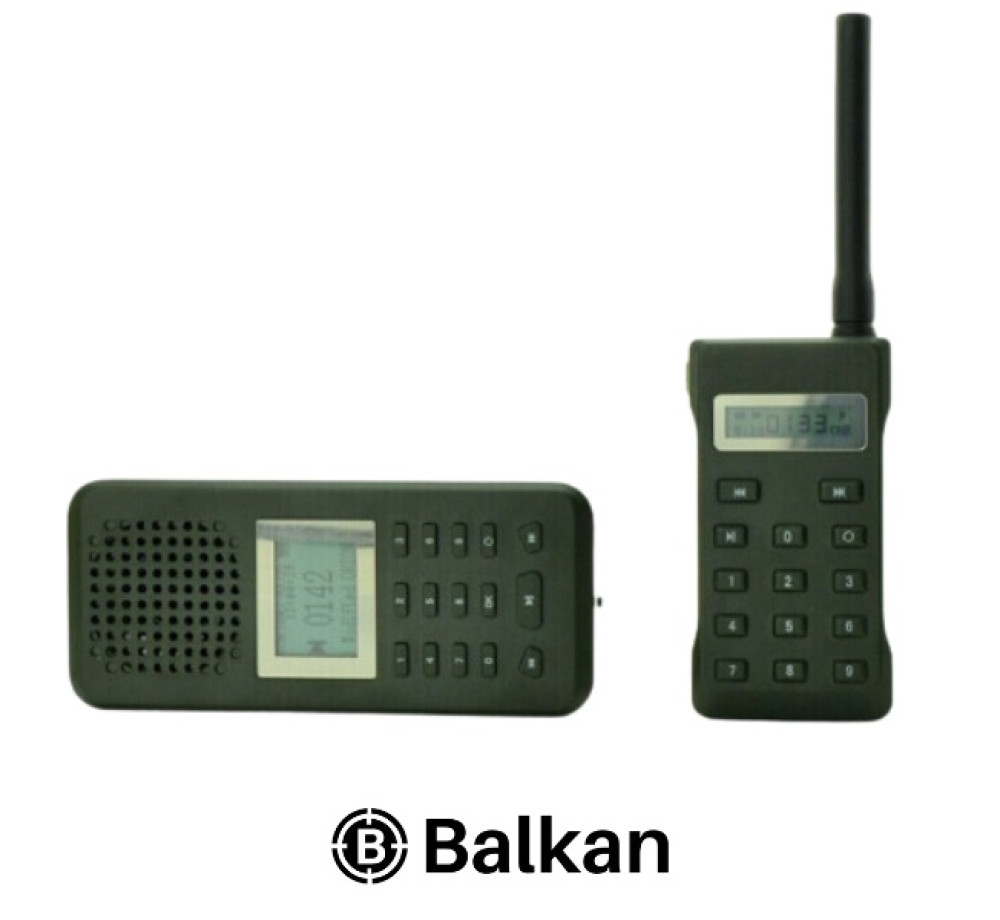
BIRDKING BK1519RT 20W Electronic Game Caller with Remote Control
- Brand:Други
- Product Code: BK1519RT 20W с дистанционно
- Availability: In Stock
69.00 € / 134.95 лв.
89.00 € / 174.07 лв.14 09 2026 14 10 2026
BIRDKING Outdoor BK1519RT is a compact electronic game caller with a built-in 20W speaker, an LCD display and a separate wireless remote control. It plays MP3 recordings, provides fast direct selection by number and allows the sound library to be changed from a computer through USB.
The set combines a main unit with a speaker, screen and numeric keypad with a remote that mirrors the main commands and lets you control playback from your position. The dark-green body is compact, easy to carry and equipped with dedicated battery compartments.
The 20W speaker allows stand-alone operation without requiring an additional external speaker.
The separate remote has a display, numeric buttons, essential playback controls and a detachable antenna.
When connected to a computer, the unit is recognised as removable storage for adding or deleting MP3 files.
It works with a built-in rechargeable battery and supports external 12V power through the included alligator-clip cable.
This is the BIRDKING Outdoor BK1519RT configuration: a 20W main unit with 15-button controls, a 14-button remote with antenna, USB/DC12V connections and SPK1/SPK2 outputs. Do not confuse it with the BK1519 without a remote or the BK1526 MIX, which has different functions and controls.
Open the compartments, remove the protective battery tab from the main unit and insert 3 × AAA batteries into the remote.
Screw the antenna onto the remote clockwise and switch on both units with their sliding power switches.
Select the required recording number with the numeric buttons and confirm with OK to start playback.
Use Play/Pause and the previous/next buttons. Holding them decreases or increases the volume.
- The numeric buttons select a specific recording; confirm the selection with OK.
- A short press on previous or next moves to the preceding or following sound.
- The centre button controls playback and pause.
- Holding previous lowers the volume, while holding next raises it on a scale from 0 to 30.
- The remote provides the same essential functions without requiring you to approach the main unit.
If the main unit and remote do not communicate, perform the pairing procedure again:
- Switch on the main unit and the remote.
- Hold button 6 on the main unit for more than 3 seconds.
- Wait for “Pairing” to appear on the display.
- Hold the OK button on the remote until the units connect.
Important: after adding or rearranging sounds, synchronise the remote again so that the number selection works correctly.
BK1519RT lets you manage the memory contents from a computer. Once connected by USB, the main unit appears as removable storage, allowing you to add your own MP3 recordings or delete files you do not need. The actual number and type of sounds depend on the library currently loaded, so there is no artificially fixed identical list for every configuration.
Back up the original files before making changes, keep the numbering clear and safely eject the device from the computer.
Two outputs for compatible external speakers are located on the side. External speakers are not included in the standard set.
The alligator-clip cable allows the use of a suitable 12V source, including when additional speakers require separate power.
Use only compatible speakers, connectors and a regulated 12V DC source. Check the polarity of the clips before connection. Incorrect voltage or reversed polarity can damage the device and are not part of normal operation.
- Start at a lower volume and raise it according to the terrain and wind.
- Place the main unit in a dry, stable and slightly elevated position.
- Maintain the clearest possible line of sight between the antenna and the remote.
- Keep the speaker grille clear of mud, water and dense vegetation.
- Check the main unit charge and the AAA batteries before every outing.
- Do not direct the high-volume sound at people or operate it close to the ears.
Remote-control range is not the same in every environment. Dense woodland, terrain, metal obstacles, low battery charge and an incorrectly fitted antenna can reduce it significantly. The best connection is achieved with an unobstructed line of sight and well-charged batteries.
Use the electronic game caller only where permitted and in accordance with applicable legislation, the hunting season and the rules for the specific hunting area. The factory-stated level of up to 126 dB is high; use suitable hearing protection when working nearby.
- BIRDKING Outdoor BK1519RT main sound unit with built-in 20W speaker
- Wireless remote control with LCD display
- Detachable remote-control antenna
- Rechargeable battery for the main unit
- USB cable for charging and computer connection
- USB adapter for 220V mains power
- Power cable with alligator clips for an external 12V source
- Mounting element / clip
- User instructions
Not included: 3 × AAA batteries for the remote, an external 12V source and additional speakers for SPK1/SPK2.
Yes. Connect the main unit to a computer by USB, back up the existing files and add compatible MP3 recordings.
Yes. After adding or rearranging files, synchronise the remote again using the button 6 and OK procedure.
No. The device has two SPK1/SPK2 outputs, but compatible additional speakers and their external power source are supplied separately.
No IP rating has been confirmed for this configuration. Protect the main unit, remote and connections from rain, immersion and condensation.
Add the product to your basket and complete the order through the website. The current terms are published on the “Delivery information” page .
When the option is active on the product page, you can submit an online instalment application. Approval, term, APR, fees, monthly payment and total amount due are determined individually by TBI Bank after application.
Contact MoskovHunt for information about the package, initial setup, online ordering, delivery or choosing a suitable game caller.
Tri-pod Shooting Stick GEN.4 Fierydeer 165 cm – 360° V Rest & quick lock handle
122.00 € / 238.61 лв.
Tiger2000 Electronic Game Caller with 12 Sounds and Remote up to 150 m
149.90 € / 293.18 лв.
-305x285.jpg "MOJO Critter HW5121 Motion Predator Decoy")
MOJO Critter HW5121 Motion Predator Decoy
100.00 € / 195.58 лв.
ICOtec HELLION+ Programmable Predator Call – Bluetooth caller with GCX+ remote
306.26 € / 598.99 лв.
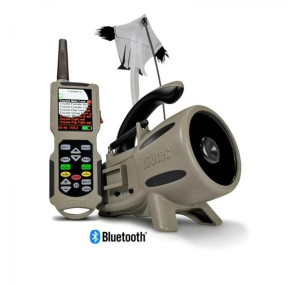
ICOtec Nomad+ Predator Caller with Bluetooth, GCX+ Remote & AD400 Decoy (165 Sounds)
393.18 € / 768.99 лв.
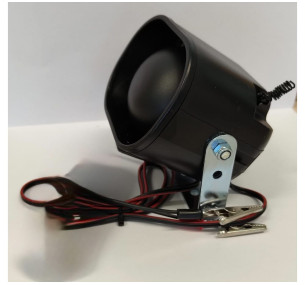
Tiger 2000 14FR Electronic Game Caller 14 Sounds 30W
120.00 € / 234.70 лв.